
Introduction: Why Students Lose Time with Messy Notes
AI note-taking tools for students are changing how learners study, revise, and organize information in 2026.
If you have ever opened your notebook before an exam and felt confused by your own notes, you are not alone.
Most students do not struggle because they are not smart.
They struggle because their notes are messy, incomplete, or difficult to revise.
In a typical classroom, things move fast:
- Teachers explain quickly
- Slides change before you finish writing
- Online lectures feel even harder to follow
So what usually happens?
You end up with:
- Half-written sentences
- Missing explanations
- Notes that are not useful for revision
That is why AI note-taking tools for students are becoming very important for modern learning.
Instead of writing everything manually, AI tools help students:
- Capture lectures easily
- Summarize key ideas
- Organize notes in a clean structure
Most importantly, they help students study smarter instead of harder.
Why AI Note-Taking Tools for Students Improve Learning
Good notes are not just about writing—they are about understanding and memory retention.
You can also explore academic productivity research from trusted sources such as:
- https://scholar.google.com/
- https://www.edutopia.org/article/how-take-notes-effectively
- https://www.coursera.org/articles/note-taking-methods
1. Better Memory Retention
When notes are structured, the brain processes information faster.
AI helps by:
- Simplifying complex ideas
- Highlighting important points
- Removing unnecessary details
2. Faster Revision Before Exams
Instead of reading entire textbooks again, students focus on:
- Summaries
- Key concepts
- Practice questions
This is why AI note-taking tools for students are powerful for exam preparation.
3. Less Stress and Confusion
Organized notes reduce stress because:
- You know what to study
- You save revision time
- You feel more confident
8 Best AI Note-Taking Tools for Students
Here are the most useful AI tools for students used for studying and revision.
1. Notion AI – Best for Organized Study Notes

Notion AI helps structure everything in one place.
You can:
- Create subject folders
- Turn messy notes into summaries
- Build study dashboards
Example:
“Summarize this into key bullet points.”
2. Otter.ai – Best for Lecture Recording

Otter.ai converts speech into text automatically.
You get:
- Full lecture transcripts
- Searchable notes
- Highlighted key points
Best for:
- Fast lectures
- Online classes
- Group discussions
3. Google Docs AI – Best for Simple Writing

Google Docs AI improves rough notes into clean study material.
You can:
- Rewrite notes
- Expand explanations
- Fix grammar
Example:
Rough notes → AI converts them into clear explanations.
4. OneNote – Best Digital Notebook
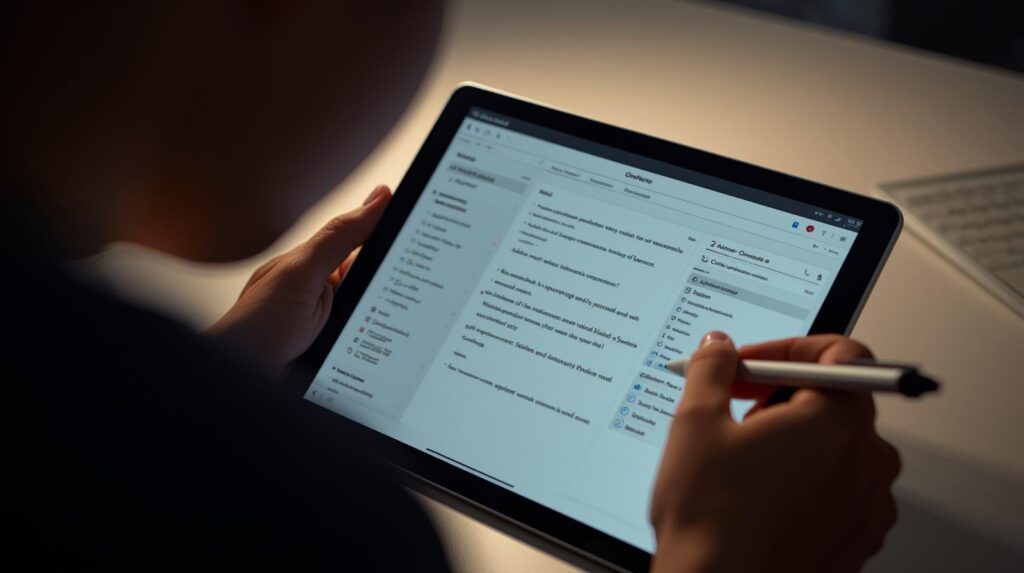
OneNote is great for structured learning.
You can:
- Organize subjects
- Add diagrams
- Summarize pages
It works well for students who combine writing and visuals.
5. Evernote – Best for Long-Term Storage

Evernote works like an academic library.
You can:
- Store all notes
- Search quickly
- Summarize long content
It’s like your academic archive.
6. ChatGPT – Best for Understanding Concepts

ChatGPT helps students understand difficult topics.
You can:
- Ask for explanations
- Turn notes into quizzes
- Simplify complex topics
Example:
“Explain this like I’m a beginner.”
This improves understanding instantly.
7. Gemini – Best for Google Integration

Gemini works with:
- Google Docs
- Google Search
- Google Slides
Best for research and quick summaries.
Perfect for:
- Research
- Summaries
- Writing support
It is useful for research and quick summaries
8. NotebookLM – Best for Study Materials

NotebookLM allows you to upload:
- PDFs
- Notes
- Articles
Then AI helps you:
- Summarize content
- Create study guides
- Answer questions
👉 Related tools list:
https://earntipsdaily.com/free-ai-study-tools-for-students
How to Choose the Right Tool
Do not use too many tools at once. That reduces focus.
Choose based on your needs:
For Classroom Lectures:
- Otter.ai
- OneNote
For Understanding Concepts:
- ChatGPT
- Gemini
For Revision:
- Notion AI
- NotebookLM
For Writing Assignments:
- Google Docs AI
- Grammarly
✔ Keep it simple: use 2–3 tools maximum
Daily AI Note-Taking Workflow (Simple System)
1. During the lecture
Take rough notes or record audio.
2. After class
Use AI tools to summarize content.
3. Clean your notes
Organize into clear bullet points.
4. Create practice material
Generate quiz questions using AI.
5. Review later
Use summaries and flashcards.
Common Mistakes Students Should Avoid
1. Using too many apps
Too many tools reduce focus rather than improve learning.
2. Poor note organization
Always use clear titles like:
Biology – Cell Structure – Key Notes
3. Skipping revision
Notes alone are not enough. Revision is required.
4. Copying without understanding
AI should help learning, not replace thinking.
Frequently Asked Questions
1. What is the best AI note-taking tool for students?
It depends on your needs:
- Organization → Notion AI
- Lectures → Otter.ai
- Understanding → ChatGPT
2. Are free AI tools enough?
Yes. Many students succeed using:
- Google Docs
- ChatGPT
- Free AI tools
3. Can AI take notes automatically?
Yes. Tools like Otter.ai can record lectures and convert them into text in real time.
4. How can I make notes easier to revise?
- Use summaries
- Highlight key points
- Create quizzes
How AI Note-Taking Tools Help in Exam Preparation
AI note-taking tools for students are especially useful during exams.
They help students:
- Quickly revise key topics
- Identify weak areas
- Generate practice questions
- Save time during revision
Instead of rereading entire chapters, students can review AI summaries and focus only on important concepts.
Why AI Note-Taking Tools Are the Future of Learning
AI tools are becoming essential in modern education because they improve:
- Learning speed
- Study efficiency
- Organization
- Exam performance
Study Tips to Maximize AI Tools
- Always review AI summaries
- Combine AI notes with your own understanding
- Use flashcards
- Practice active recall daily
- Focus on weak topics
Advanced Study Strategy
- Combine AI notes + personal understanding
- Use spaced repetition
- Turn notes into questions
- Focus on weak areas first
Even 20–30 minutes daily improves results.
Are AI Note-Taking Tools Worth It?
Yes. They save time, improve understanding, and make revision easier.
Students using AI note-taking tools for students often perform better because they focus on learning instead of struggling with messy notes.
Conclusion: Better Notes Lead to Better Results
Academic success is not about studying more. It is about studying effectively.
Better notes help you:
- Learn faster
- Revise easily
- Reduce stress
- Improve confidence
AI note-taking tools for students are not just apps—they are learning assistants that improve your study system.
Start today and build a smarter way of studying.